> ## Documentation Index
> Fetch the complete documentation index at: https://docs.reticle.sh/llms.txt
> Use this file to discover all available pages before exploring further.
> ## Agent Instructions
> Reticle is a dev-only, localhost-only verification layer for AI coding agents. It reads program truth (network, state, console, routing, animations, framework state) from inside a running web app and returns a deterministic verdict with evidence. It is not a screenshot tool and not a browser automation library.
> Only `reticle_act_and_wait` and `reticle_assert` produce a verdict. Every other tool moves or reads the app and proves nothing. A drive that ends without one of those two has no result, however many tools it used.
> A verdict of `verified: "unknown"` is not a pass. It means Reticle drove the app and could not tell what happened. Report it as unknown; never weaken a check to make it pass.
> Package names are scoped `@reticlehq/*` and the CLI is `reticle`. Install with `npx reticle init`. The complete tool surface is on the `/usage` page; `/agent-cheatsheet` is the one-screen version.
# Quickstart
> Install Reticle, connect your coding agent, and get a real verdict with evidence in about five minutes.
By the end of this page your agent will click a button in your app and prove what happened: the request that fired, the state that changed, and the file to open if it didn't.
Every response on this page is real output, captured against a running app while writing it.
Nothing here is illustrative.
## Prerequisites
* Node 20 or newer
* A web app you can run locally, and its dev server
* A coding agent that speaks MCP (Claude Code, Cursor, Codex, OpenCode, Windsurf, VS Code)
## Step 1. Let your agent install it
The fastest path is to hand the job to the agent that will use it. In your project directory:
```bash theme={"dark"}
npx reticle init
```
This registers the MCP server, installs the SDK, wires it into your app's entry point, and writes the agent rule files. It is idempotent. Run it twice and the second run reports what was already done rather than doing it again.
Useful flags, from `reticle init` itself:
```
reticle init [--dry-run] [--port N] [--no-mcp] [--no-install] [--app ]
--app picks WHICH app in a monorepo, when several are found
--no-mcp skips MORE than the server registration: also the agent rule files
(CLAUDE.md / AGENTS.md / .cursor) and the /reticle command, because all three
only make sense once the tools are reachable.
```
Start with `--dry-run` if you want to see the plan before anything is written.
In a monorepo, `init` will find several apps and ask which one you mean. `--app packages/web`
skips the question.
Prefer to wire it yourself? See [Manual install](/install-manual). It is about ten lines, and worth reading once even if you let the agent do it, because it explains what the agent actually changed.
## Step 2. Check the setup
```bash theme={"dark"}
reticle doctor
```
`doctor` diagnoses the whole setup in one command: Chromium, the daemon, the port. If something is wrong this is the page you want before you start debugging your app instead.
## Step 3. Start your app and open it
Start your dev server as usual, then:
```bash theme={"dark"}
reticle open
```
This reuses the tab you already have open, or opens one if you don't. The SDK connects to the local daemon over a WebSocket, and your agent can now see the app.
If the browser console says it "could not reach the bridge", your app and the daemon disagree
about the port. Set it explicitly: `VITE_RETICLE_WS_URL=ws://localhost:4400/reticle` for Vite, or
`reticle.connect({url})`. This is the single most common setup problem, and the console message
tells you the exact port it tried.
## Step 4. Look at the page
Ask your agent to take a snapshot. This is what came back from a real app:
```json theme={"dark"}
{
"tree": "- textbox \"Email\" (ref=e3) [value=\"admin@reticle.dev\"]\n- textbox \"Password\" (ref=e4) [value=\"[REDACTED]\"]\n- button \"Sign in\" (ref=e5)",
"nodes": 3,
"truncated": false,
"status": { "route": "/", "title": "Reticle · Mission Control" },
"cost": { "bytes": 243, "tokens": 61 }
}
```
Three things to notice.
The password is already `[REDACTED]`. Reticle redacts credential-shaped values before they leave the page, so your agent's context never holds your test password, let alone your real one.
The whole snapshot cost **61 tokens**. This is `mode: "interactive"`, which returns only the controls. A full accessibility-tree dump of a comparable page runs to thousands. Reticle is built to ask narrow questions, because the answer gets re-sent to the model on every turn.
Each control has a `ref` like `e5`. That's the handle for the next step, and it stays valid until the element leaves the DOM, so you don't re-snapshot between actions.
## Step 5. Act, and prove it
Here is the whole idea of Reticle in one call. Your agent names the expected consequence **before** it acts:
```json theme={"dark"}
{
"ref": "e5",
"action": "click",
"until": { "kind": "net", "method": "POST" }
}
```
Stating the expectation up front is the difference between a check and a rationalisation. An agent that clicks first and then decides what counts as success will always find something that counts.
The real response, trimmed for length:
```json theme={"dark"}
{
"verified": "yes",
"verifiedReason": "proved",
"because": "assertion held at presence grade over a clean capture with no channel disagreeing",
"effect": {
"ok": true,
"testid": "login-submit",
"component": "Login",
"name": "Sign in",
"effect": { "domMutatedWithin": 7, "appeared": "Signing in…" },
"source": { "file": "src/components/Login.tsx", "line": 81, "column": 8 }
},
"verdict": {
"pass": true,
"evidence": {
"method": "POST",
"url": "http://localhost:8787/api/login",
"status": 200,
"durationMs": 67,
"requestBody": "{\"email\":\"admin@reticle.dev\",\"password\":\"[REDACTED]\"}",
"responseBody": "{\"token\":\"[REDACTED]\",\"user\":{\"email\":\"admin@reticle.dev\"}}"
}
},
"summary": {
"net": { "total": 1, "errors": 0 },
"consoleErrors": 0,
"stateDiffs": [{ "path": "auth", "from": null, "to": "{\"email\":\"admin@reticle.dev\"}" }],
"signals": ["auth:granted"]
},
"honesty": {
"grade": "presence",
"coverage": { "pct": 100, "partial": false },
"integrity": { "clean": true, "issues": [] }
}
}
```
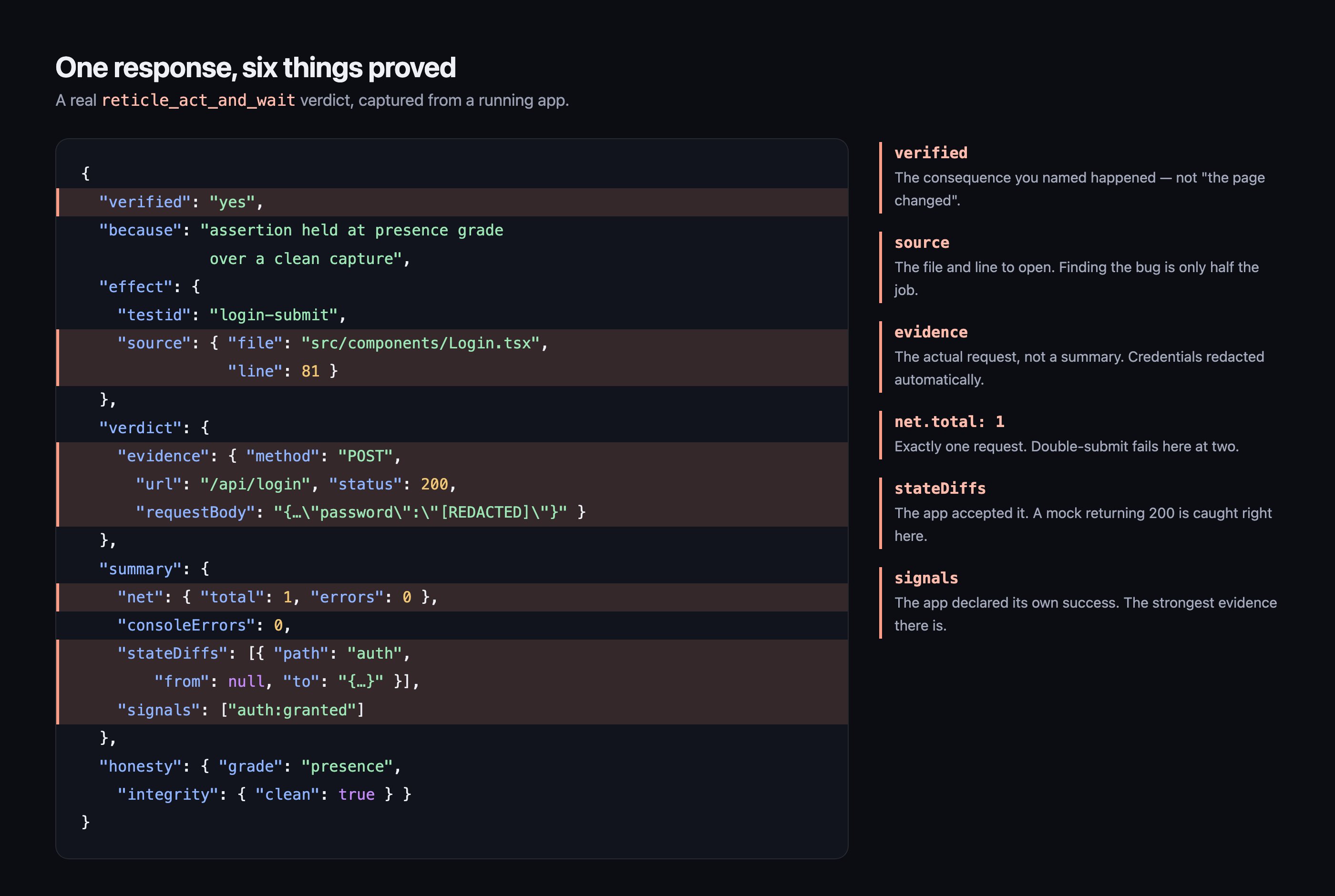 Read what that actually proves:
| Field | What it tells you |
| ---------------------- | ------------------------------------------------------------------------------------------------------------------------ |
| `verified: "yes"` | The named consequence happened. Not "the page looks different", the specific thing. |
| `source.file` / `line` | The button lives at `src/components/Login.tsx:81`. If this had failed, your agent knows which file to open. |
| `verdict.evidence` | The exact request: one `POST /api/login`, `200`, 67ms. Not a summary of it. The request. |
| `stateDiffs` | Application state moved from `null` to a real user. A mock that returns 200 without changing state is caught right here. |
| `signals` | The app's own `auth:granted` fired. This is the strongest signal available, because the app declared success itself. |
| `net.total: 1` | Exactly one request. Double-submit bugs show up as `2`. |
| `integrity.clean` | Nothing interfered with the capture, so the verdict is trustworthy. |
## What "verified" can say
The consequence you named actually happened, and the evidence is attached.
It did not happen. This is a finding, with the source pointer to go fix it.
Reticle drove the app and could not tell. **This is not a pass.** Report it as unknown.
That third state is the one that matters. Most tools have two outcomes and quietly file "I couldn't tell" under "fine". A verification layer that cannot admit uncertainty is just a very confident random number generator.
## Where to go next
Emit signals like `auth:granted` so your verdicts get stronger than "the DOM changed".
The 18 tools your agent sees by default, and the 30 more it can reach on demand.
Turn this session into a suite that blocks a bad merge.
The false-green problem, and the measured case that this fixes it.
Read what that actually proves:
| Field | What it tells you |
| ---------------------- | ------------------------------------------------------------------------------------------------------------------------ |
| `verified: "yes"` | The named consequence happened. Not "the page looks different", the specific thing. |
| `source.file` / `line` | The button lives at `src/components/Login.tsx:81`. If this had failed, your agent knows which file to open. |
| `verdict.evidence` | The exact request: one `POST /api/login`, `200`, 67ms. Not a summary of it. The request. |
| `stateDiffs` | Application state moved from `null` to a real user. A mock that returns 200 without changing state is caught right here. |
| `signals` | The app's own `auth:granted` fired. This is the strongest signal available, because the app declared success itself. |
| `net.total: 1` | Exactly one request. Double-submit bugs show up as `2`. |
| `integrity.clean` | Nothing interfered with the capture, so the verdict is trustworthy. |
## What "verified" can say
The consequence you named actually happened, and the evidence is attached.
It did not happen. This is a finding, with the source pointer to go fix it.
Reticle drove the app and could not tell. **This is not a pass.** Report it as unknown.
That third state is the one that matters. Most tools have two outcomes and quietly file "I couldn't tell" under "fine". A verification layer that cannot admit uncertainty is just a very confident random number generator.
## Where to go next
Emit signals like `auth:granted` so your verdicts get stronger than "the DOM changed".
The 18 tools your agent sees by default, and the 30 more it can reach on demand.
Turn this session into a suite that blocks a bad merge.
The false-green problem, and the measured case that this fixes it.